Spell Check
Martypex is a code editor first, so it does not second-guess your prose unless you ask it to. Spell checking is an optional layer you can switch on when a document is more writing than markup, and even then it stays deliberately hands-off: it marks words, it never rewrites them.
Turning it on
Spell checking is off by default. Because you spend much of your time typing function names, labels, and math that no dictionary would recognise, Martypex leaves the feature disabled until you opt in. Open Settings and switch on Check Spelling; from then on, misspelled words in your prose pick up a red wavy underline drawn over the editor as you type. Turn the toggle back off and the underlines disappear at once.
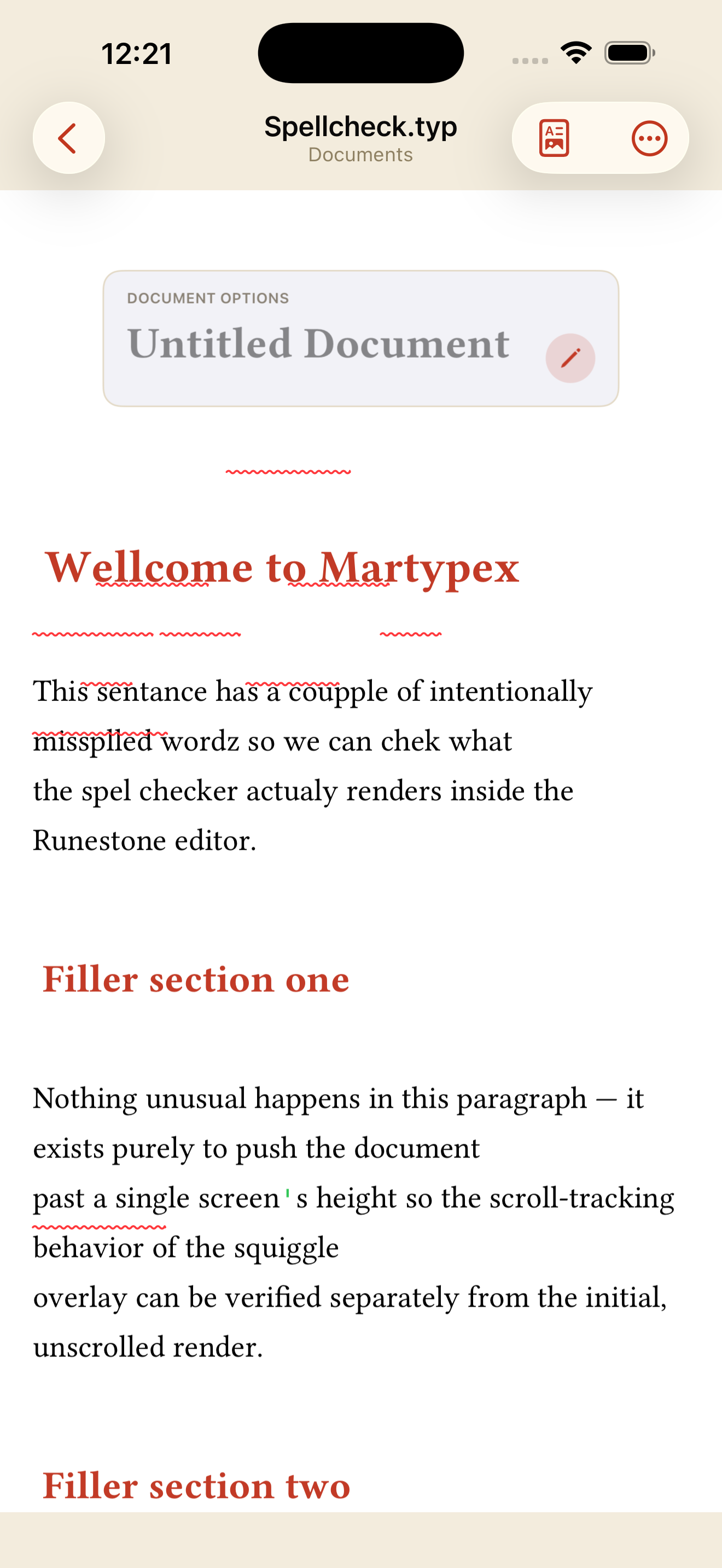

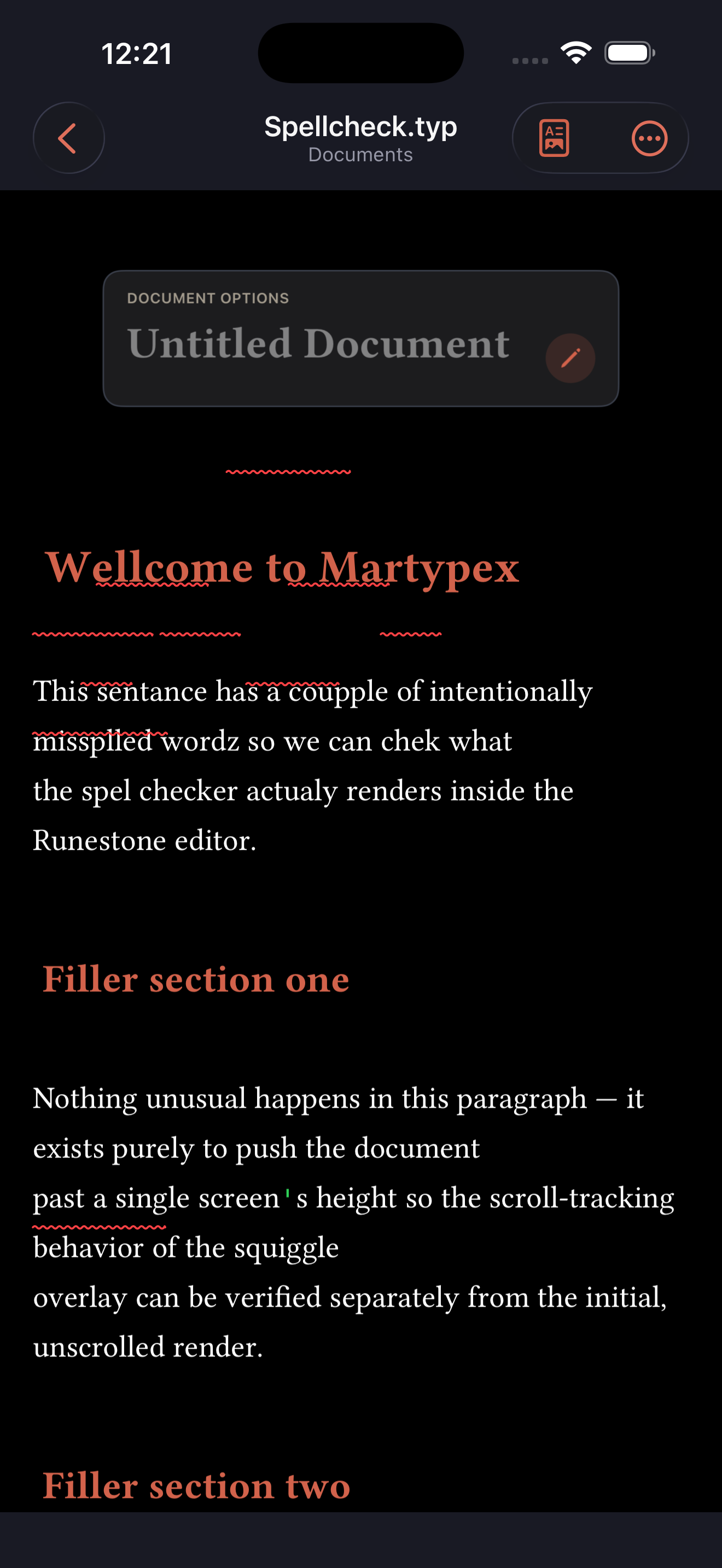
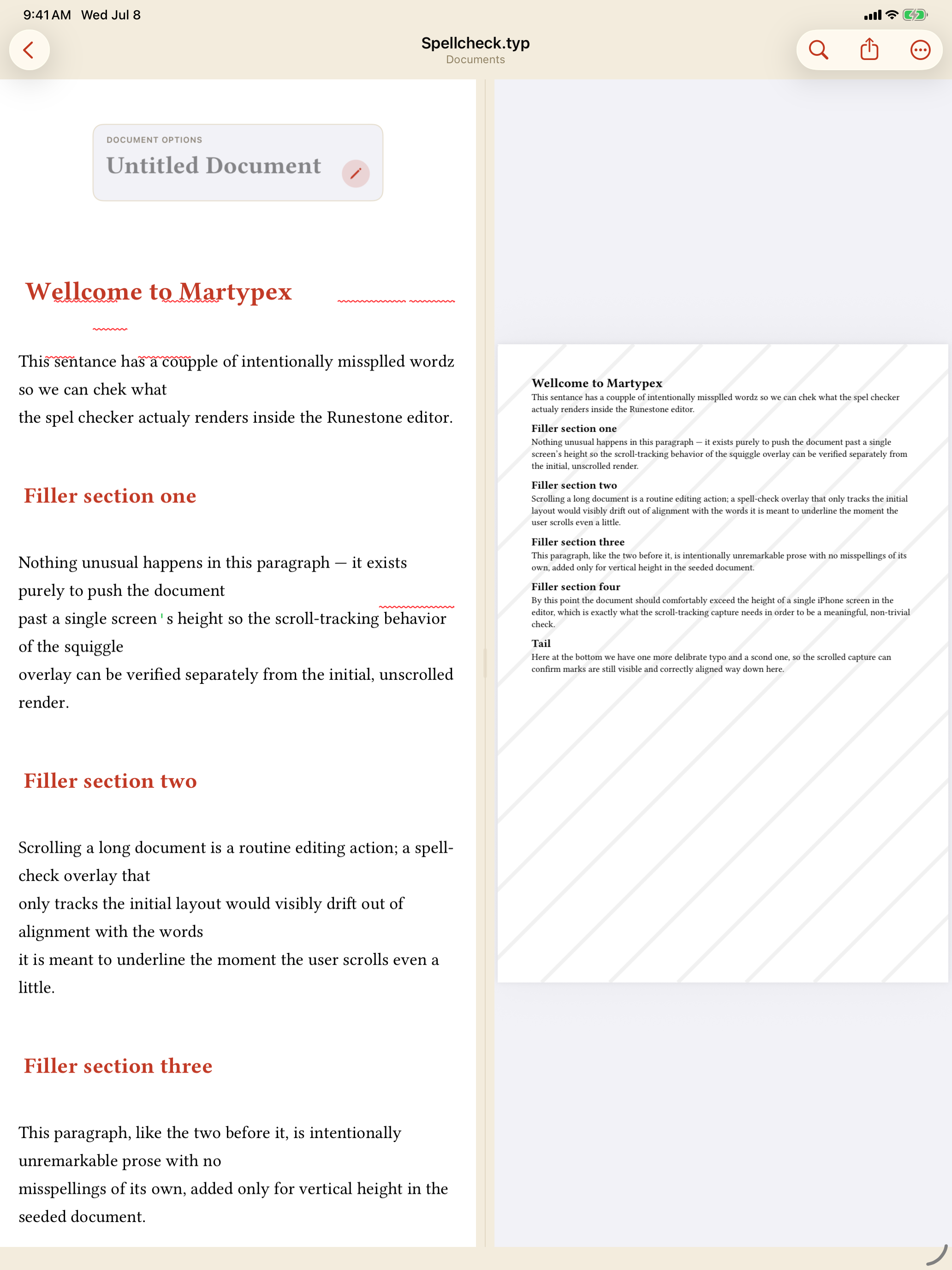

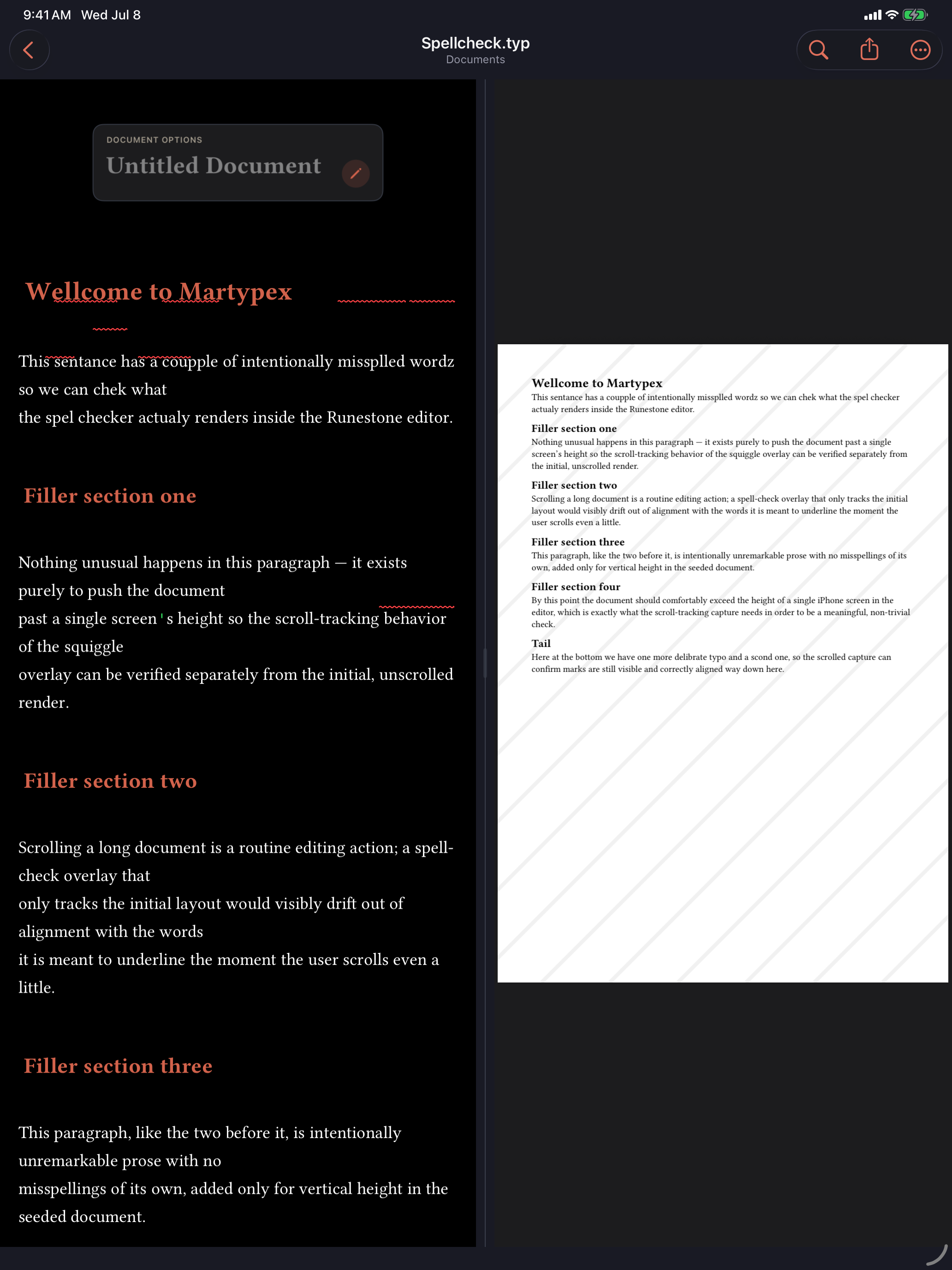
The red underlines are the whole of the on-screen signal: they flag a word without touching it.
It checks, it doesn’t correct
Martypex never changes your text on its own. There is no autocorrect quietly reshaping what you wrote; the checker only marks words it does not recognise and then waits for you. Tap a flagged word to bring up the system’s options: choose one of the Replace… suggestions to swap in a correct spelling, or pick Learn Spelling to tell the checker the word is fine and clear its underline for good.
Because nothing is rewritten behind your back, spell checking is safe to leave on in a document full of Typst functions and LaTeX-style tokens: the odd flagged word costs you nothing until you choose to act on it.
Your personal dictionary
Technical writing is full of words no general dictionary carries, author names, package names, jargon, command-like tokens, and you should not have to see a red underline under each of them. Settings ▸ Personal Dictionary is an editable list for exactly this. Add the words you use so they stop being flagged, and remove an entry later if you no longer want it.
The list stays in sync with the system checker, so a word you add here is trusted everywhere the checker runs, and words you accept through Learn Spelling in the tap-to-fix popup are respected here too. The two routes feed one shared vocabulary.
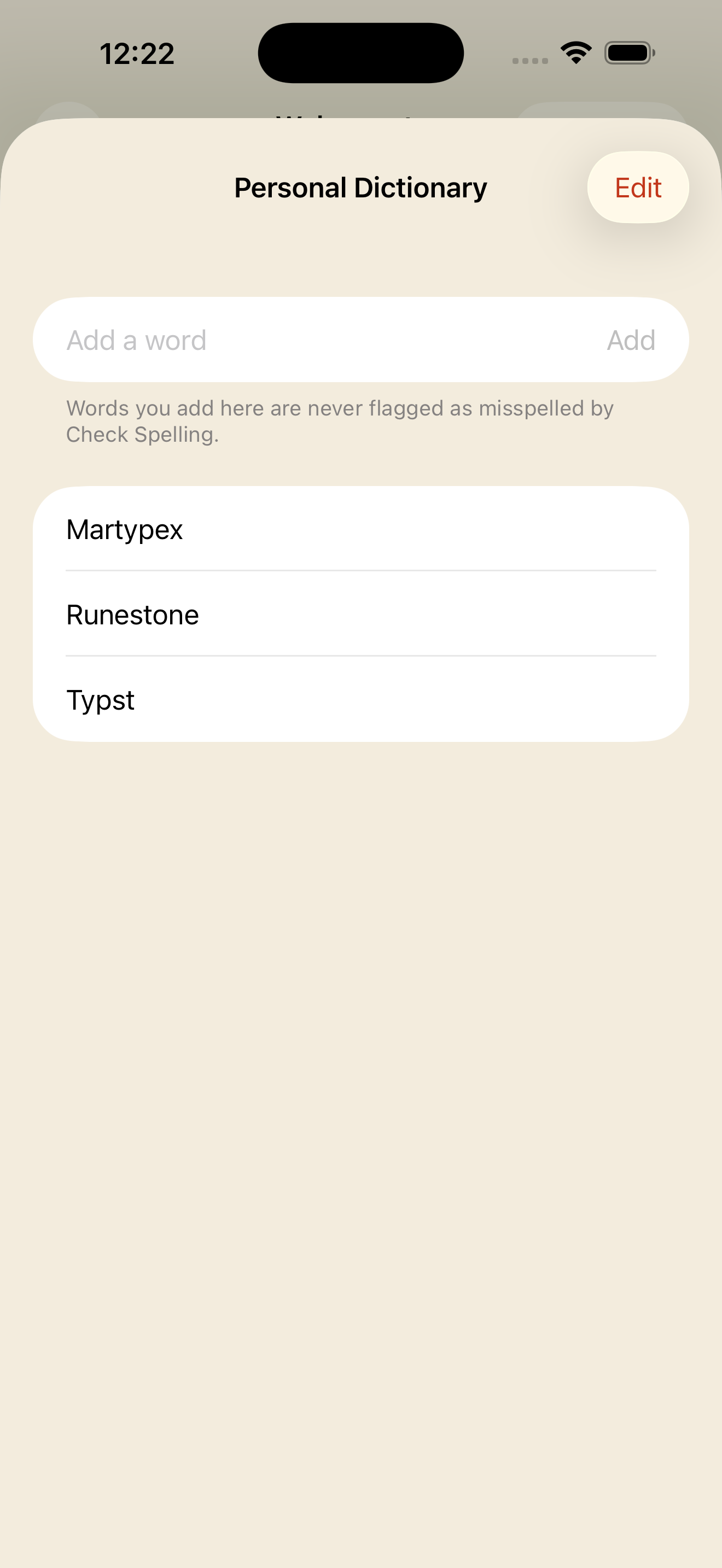
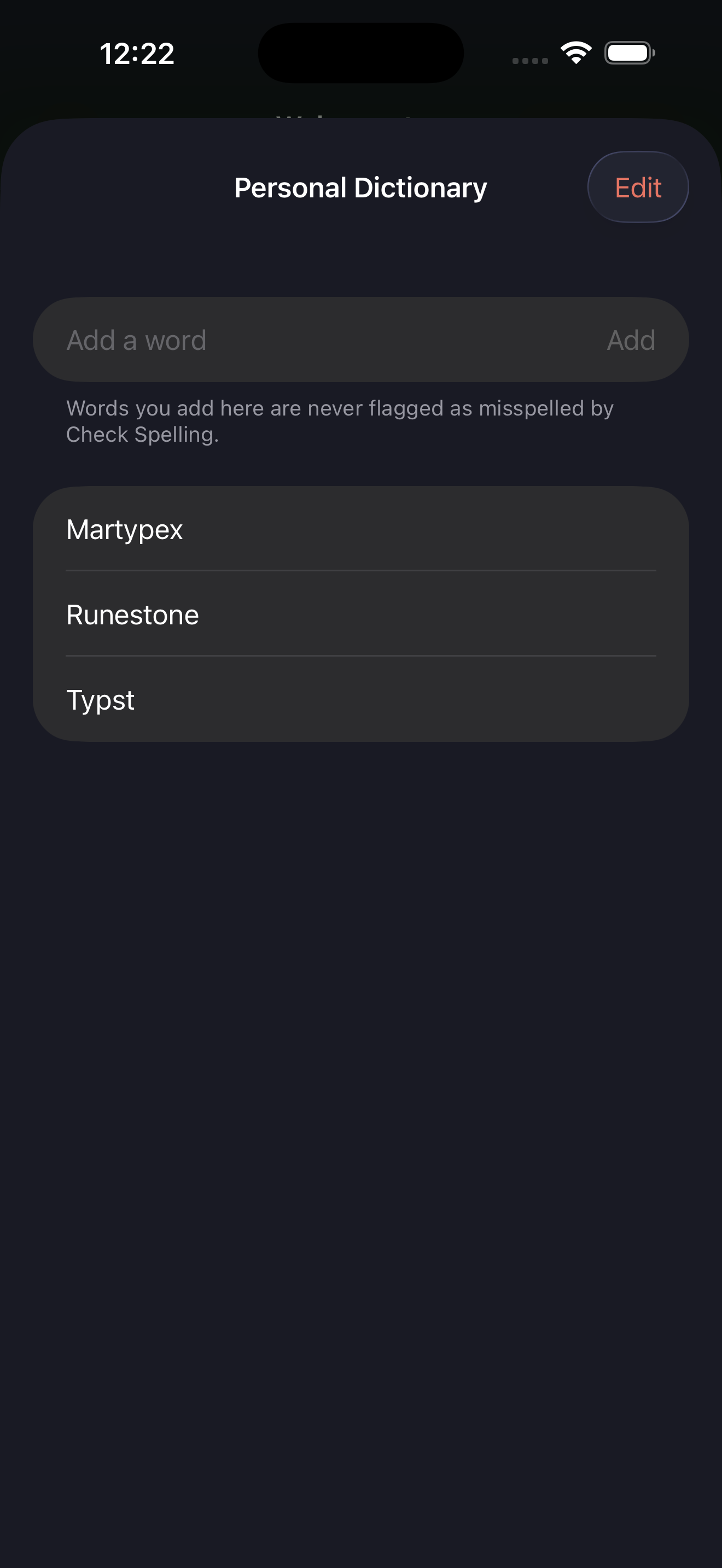
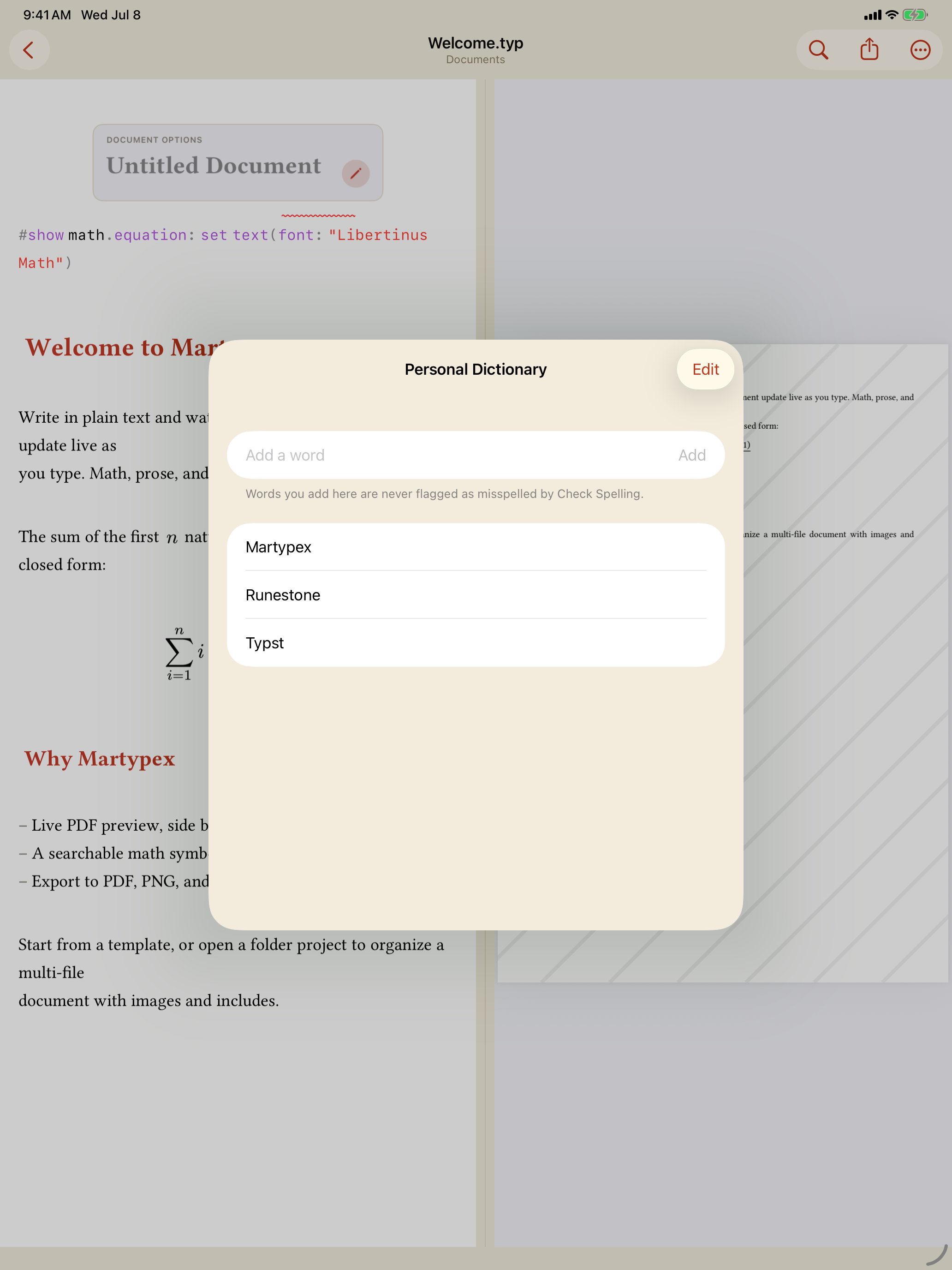
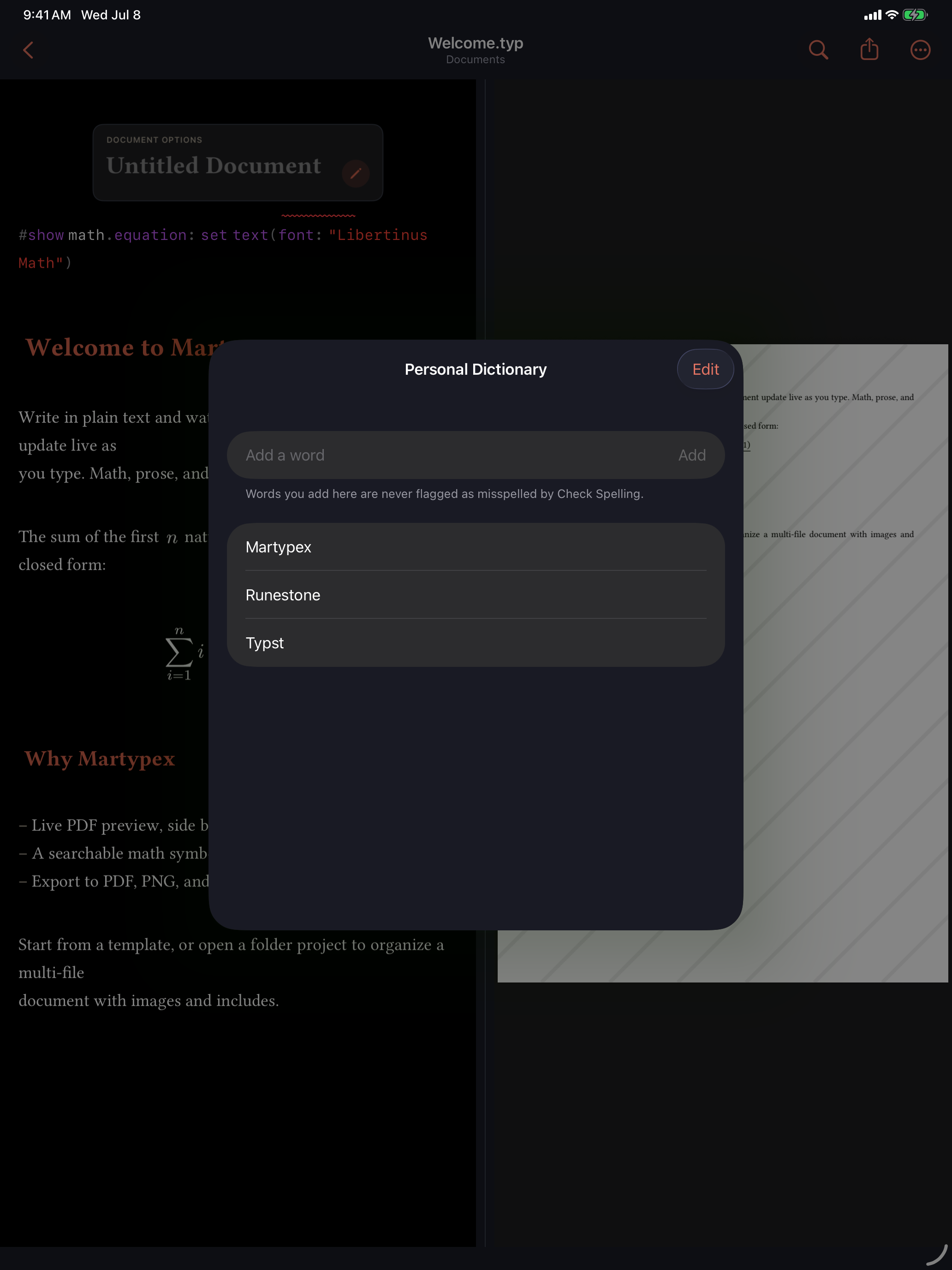
Seed your personal dictionary early. Adding the handful of names and tokens a project reuses, once, keeps the underlines meaningful, so the ones that remain are the mistakes actually worth a second look.